Excel to Web App & Dashboards

Excel to web app conversion — your spreadsheet turned into a multi-user system

Somewhere in your company there may be an Excel file the team depends on: formulas only one person understands, versions moving around by email and no clear record of what changed. I turn workflows like that into multi-user web applications with permissions, validation and traceable changes.

The business rules and workflows in the workbook become a custom dashboard with live data, role-based access, change history and automation. I build it with the same process I use for enterprise clients: audit, architecture, build and a 30-day warranty.

The risk comes from how a business-critical workbook is used, not from a universal row limit. Copied files, external links, complex formulas, macros and the shared-editing setup can make changes difficult to validate or trace. Microsoft 365 can provide permissions and version history, but those controls do not automatically encode your business roles or validate the workflow. When only one person understands the file, the knowledge still leaves with them.

A web app moves those controls into the workflow itself. It can validate inputs, enforce role-based permissions and record important changes. Dashboards can refresh from the source systems instead of waiting for Monday's manual update, so decisions use current data and repetitive spreadsheet work is reduced.

01
Excel Audit
I inventory the formulas, sheet dependencies and hidden rules, then document what the app needs to do before anything is built.
02
Data & Schema Design
Your spreadsheet logic becomes a database schema and API designed for simultaneous multi-user use, with permissions and business rules enforced in the application.
03
Dashboard Build
Then comes the build: a dashboard with charts, filters and exports, plus automation for the steps your team regularly handles by hand.
04
Migration & Warranty
I migrate the historical data and reconcile it against the source before cutover. The team gets a walkthrough, followed by a 30-day technical warranty after go-live.

What an Excel to web app conversion delivers

  • Multi-user access with roles instead of versioned files in email
  • Real-time dashboards and reports instead of manual updates
  • Validation that makes bad input harder to save, with a history that makes changes traceable
  • Automation for repetitive steps the team currently handles by hand
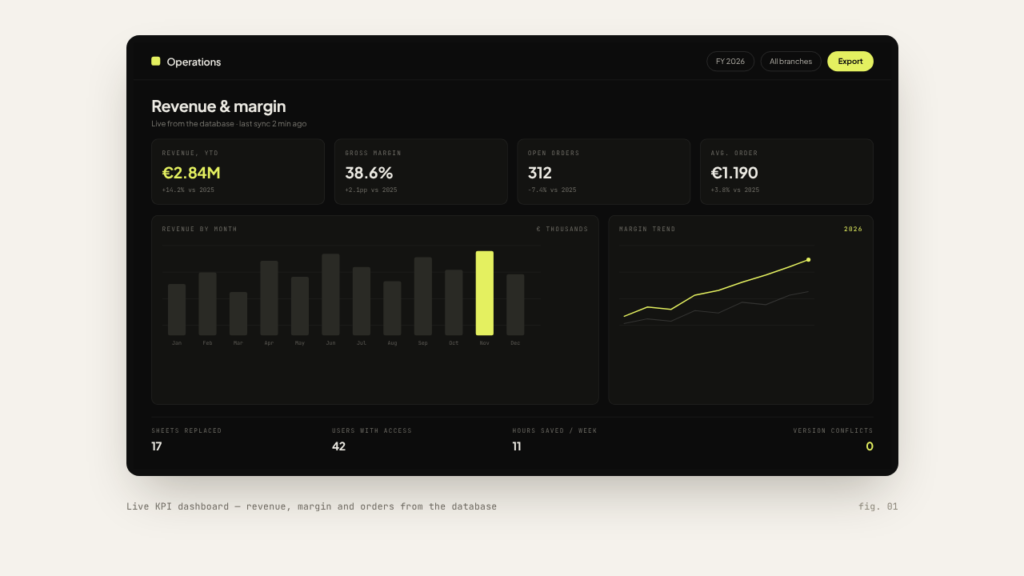
Excel to dashboard: live KPI dashboard with revenue, margin and orders from the database
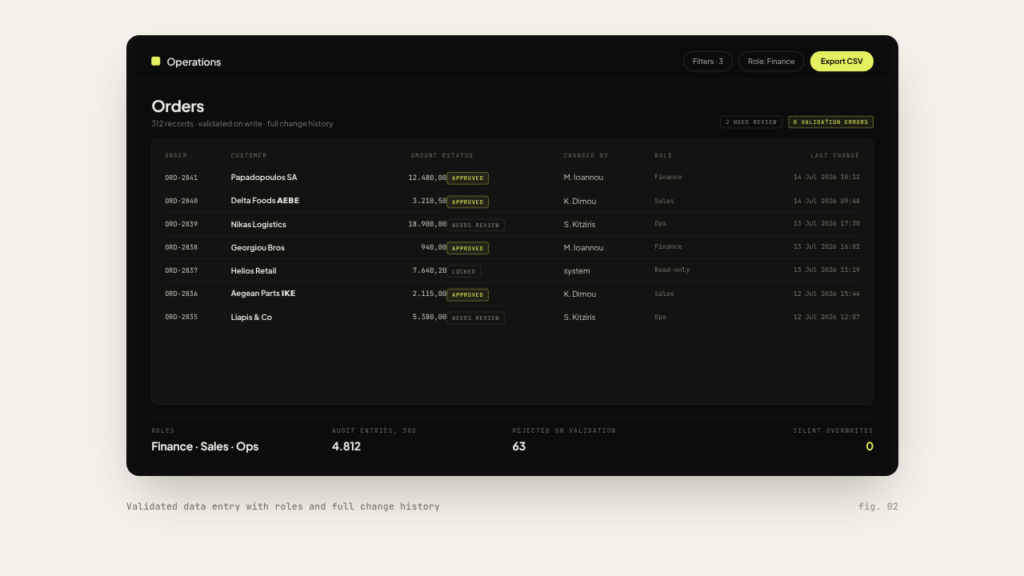
Excel to web app: validated data entry with role-based access and full change history
Can you really convert any Excel file into a web app?

Many workbooks can be converted, but not every Excel feature maps directly. I inventory the formulas, pivots, macros, external links and add-ins, then show you what should be preserved, redesigned or retired before you commit.

I migrate the existing data with validation and reconciliation checks, so discrepancies surface before cutover. In the new system, permissions and change history make later edits traceable.

The timeline follows the workbook inventory and audit: sheet structure, formulas, integrations, data cleanup and access rules all affect the work. I reply with a concrete estimate once those dependencies are mapped.

If the app needs a manual, I have failed. The UI mirrors the workflows your team already knows, and you get a walkthrough and documentation at handover.

Get in touch

Athens, Greece, working remotely with EU & US teams

info@offline-web.com

I reply by email
Get a price and timeline

    How it works
    1. Tell me about your project below.
    2. I'll email you a few quick questions (about 3 minutes).
    3. You get a price, timeline and project scope by email — no call.
    A link helps me scope your project faster.

    Complete the short questionnaire to receive your indicative price, timeline and scope by email.

    This site is protected by reCAPTCHA and the Google Privacy Policy and Terms of Service apply.