

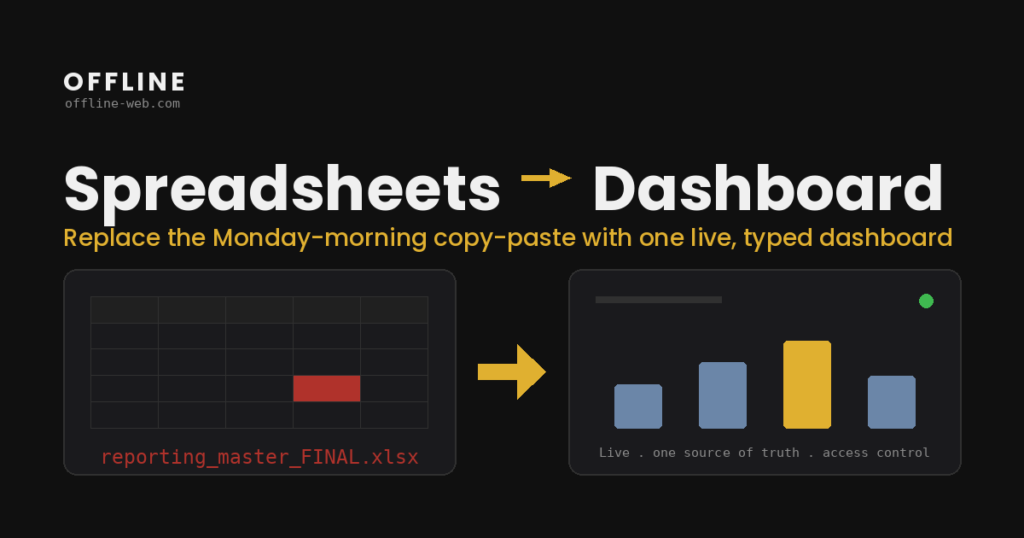
Όταν μια διοικητική ή οικονομική αναφορά χρειάζεται στοιχεία από διαφορετικά Excel, exports, βάσεις και εργαλεία, το δύσκολο μέρος δεν είναι το γράφημα.
Το δύσκολο μέρος είναι να απαντηθούν τρεις ερωτήσεις: ποια πηγή θεωρείται σωστή, πώς υπολογίζεται κάθε μέτρηση και ποιος έχει δικαίωμα να αλλάζει ή να εγκρίνει τα δεδομένα.
Ένα custom dashboard μπορεί να δώσει στην ομάδα μία κοινή εικόνα. Αν όμως σχεδιαστεί πριν ξεκαθαριστούν τα δεδομένα, απλώς μεταφέρει την ασυνέπεια σε πιο όμορφη οθόνη.
Η δουλειά αρχίζει από τις πηγές, όχι από τα γραφήματα
Πριν σχεδιάσω dashboard screens, χαρτογραφώ τις πηγές.
Μπορεί να είναι:
- Excel ή CSV αρχεία,
- ERP / CRM,
- PostgreSQL ή MySQL βάσεις,
- APIs τρίτων συστημάτων,
- δεδομένα που συμπληρώνει χειροκίνητα η ομάδα.
Για κάθε KPI ή αριθμό πρέπει να υπάρχει σαφής προέλευση και κανόνας υπολογισμού. Αν δύο πηγές δίνουν διαφορετικό αποτέλεσμα, αυτό πρέπει να λυθεί πριν αποφασίσουμε ποιο chart θα εμφανιστεί στην αρχική οθόνη.
Τι σημαίνει «μία κοινή εικόνα»
Ένα dashboard είναι χρήσιμο όταν διαφορετικοί άνθρωποι βλέπουν την ίδια πληροφορία με τρόπο που ταιριάζει στον ρόλο τους.
Ο ιδιοκτήτης μπορεί να χρειάζεται συνοπτικά έσοδα, εισπράξεις και εκκρεμότητες. Ένας manager μπορεί να χρειάζεται αναλυτικότερη εικόνα ανά ομάδα ή πελάτη. Ένας χρήστης καταχώρισης μπορεί να πρέπει να βλέπει μόνο τις εγγραφές που τον αφορούν.
Άρα το dashboard δεν είναι μόνο reporting. Σε αρκετά projects συνδέεται με permissions, approvals, comments, history και actions. Εκεί αρχίζει να μοιάζει περισσότερο με εσωτερική web εφαρμογή παρά με στατική αναφορά, και η συζήτηση περνά στην ανάπτυξη web εφαρμογών.
Πότε αρκεί Power BI, Tableau ή Looker
Δεν χρειάζεται custom εφαρμογή κάθε φορά που υπάρχουν πολλά δεδομένα.
Ένα BI εργαλείο είναι συχνά καλύτερη επιλογή όταν:
- τα δεδομένα είναι ήδη οργανωμένα,
- το βασικό ζητούμενο είναι ανάλυση και visualization,
- οι χρήστες δεν χρειάζεται να αλλάζουν επιχειρησιακά δεδομένα,
- δεν υπάρχουν πολύ ειδικά workflow ή permission requirements.
Custom εφαρμογή έχει περισσότερο νόημα όταν η ίδια οθόνη πρέπει να συνδυάζει reporting με ενέργειες: καταχώριση, εγκρίσεις, αλλαγές status, uploads, workflows ή write-back σε άλλα συστήματα. Αυτό συναντάται συχνά μετά από μια μετάβαση από Excel σε web εφαρμογή.
Πώς σχεδιάζω την πρώτη έκδοση
Η πρώτη έκδοση δεν χρειάζεται να περιέχει κάθε report που χρησιμοποιεί η εταιρεία.
Ξεκινώ από μία συγκεκριμένη αναφορά ή διαδικασία που σήμερα απαιτεί αρκετή χειροκίνητη δουλειά. Ακολουθώ κάθε αριθμό μέχρι την πηγή του, καταγράφω τους υπολογισμούς και βλέπω ποια βήματα επαναλαμβάνονται.
Μετά ορίζουμε:
- ποια δεδομένα πρέπει να συγκεντρωθούν,
- ποια μένουν στα υπάρχοντα συστήματα,
- ποιοι χρήστες βλέπουν τι,
- ποια actions χρειάζονται,
- ποια KPIs έχουν πραγματική αξία στην καθημερινή λειτουργία.
Έτσι η πρώτη έκδοση λύνει ένα πραγματικό πρόβλημα και μπορεί να επεκταθεί αργότερα χωρίς να ξεκινήσει ως τεράστιο reporting project. Παραδείγματα αντίστοιχων εφαρμογών υπάρχουν στο portfolio.
Συχνές ερωτήσεις
Μπορεί ένα dashboard να διαβάζει δεδομένα από τα συστήματα που ήδη έχουμε;
Ναι, εφόσον υπάρχει τεχνικός τρόπος πρόσβασης: API, database connection, scheduled export ή άλλο ασφαλές interface. Δεν χρειάζεται να μεταφερθούν όλα σε νέο σύστημα.
Χρειάζεται να καταργήσουμε τα Excel;
Όχι. Τα Excel μπορούν να παραμείνουν για ad-hoc ανάλυση, exports ή εργασίες όπου είναι το κατάλληλο εργαλείο. Το ζητούμενο είναι να μη χρειάζεται να συγκεντρώνεται χειροκίνητα η ίδια κρίσιμη πληροφορία κάθε φορά.
Πότε δεν αξίζει custom dashboard;
Όταν ένα υπάρχον BI εργαλείο καλύπτει το reporting χωρίς ειδικά workflows ή όταν η διαδικασία είναι τόσο απλή που ένα οργανωμένο spreadsheet παραμένει επαρκές.
Τι επηρεάζει περισσότερο το κόστος;
Ο αριθμός των data sources, η ποιότητα και συνέπεια των δεδομένων, τα permissions, τα integrations και το αν το dashboard είναι μόνο read-only ή περιλαμβάνει πραγματικές επιχειρησιακές ενέργειες.
Ξεκινήστε από μία αναφορά που ήδη χρησιμοποιείτε
Στείλτε μου ποια αναφορά ή dashboard φτιάχνετε σήμερα με το χέρι, από ποιες πηγές παίρνετε δεδομένα και ποιο είναι το πιο χρονοβόρο βήμα.
Μέσα από τη φόρμα θα λάβετε ένα σύντομο ερωτηματολόγιο περίπου 10 λεπτών και, με βάση τις απαντήσεις, μια πρώτη εκτίμηση για το scope, το κόστος και το χρονοδιάγραμμα.