

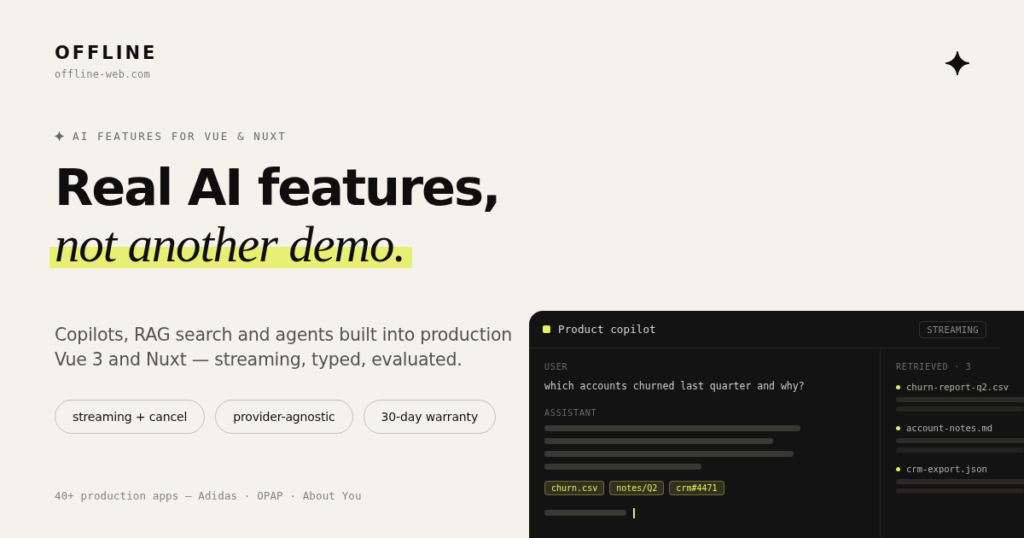
Ενσωμάτωση AI σε web εφαρμογές
Το AI μπορεί να προστεθεί σε μια εφαρμογή όταν υπάρχει μια συγκεκριμένη εργασία που μπορεί να γίνει πιο γρήγορα, πιο εύκολα ή με λιγότερα χειροκίνητα βήματα.
Από αναζήτηση και επεξεργασία περιεχομένου μέχρι assistants, αυτοματισμούς και λειτουργίες που αξιοποιούν τα δεδομένα της εφαρμογής, η υλοποίηση ξεκινά από το πρόβλημα που πρέπει να λυθεί και όχι από το AI model που θα χρησιμοποιηθεί.
AI ως λειτουργία του προϊόντος
Η ενσωμάτωση μπορεί να γίνει σε μια υπάρχουσα εφαρμογή ή να σχεδιαστεί ως μέρος ενός νέου προϊόντος.
Το AI λειτουργεί μέσα στις υπάρχουσες ροές της εφαρμογής, με πρόσβαση μόνο στα δεδομένα και στις ενέργειες που χρειάζονται για τη συγκεκριμένη χρήση.
Δεν χρειάζεται κάθε λειτουργία AI
Σε αρκετές περιπτώσεις μια απλή αναζήτηση, ένας κανόνας ή ένας συνηθισμένος αυτοματισμός είναι πιο κατάλληλος από ένα AI model.
Πριν γίνει η υλοποίηση, εξετάζεται αν το AI προσφέρει πραγματικό όφελος, ποια δεδομένα χρειάζεται, πόσο προβλέψιμο πρέπει να είναι το αποτέλεσμα και τι συμβαίνει όταν η απάντηση δεν είναι σωστή.
Τι μπορεί να προστεθεί
AI assistants
Assistants που βοηθούν τον χρήστη να βρίσκει πληροφορίες, να ολοκληρώνει εργασίες ή να χρησιμοποιεί πιο εύκολα τις λειτουργίες μιας εφαρμογής.
Αναζήτηση σε δεδομένα και περιεχόμενο
Αναζήτηση και απαντήσεις πάνω σε έγγραφα, δεδομένα ή περιεχόμενο που ήδη υπάρχουν στο σύστημα.
Επεξεργασία περιεχομένου
Δημιουργία, περίληψη, κατηγοριοποίηση, εξαγωγή πληροφοριών ή μετατροπή περιεχομένου μέσα στις υπάρχουσες ροές εργασίας.
AI agents και αυτοματισμοί
Ροές όπου το AI μπορεί να χρησιμοποιεί συγκεκριμένα εργαλεία ή APIs για να ολοκληρώνει ελεγχόμενες ενέργειες μέσα στην εφαρμογή.
AI λειτουργίες πάνω σε υπάρχοντα δεδομένα
Αξιοποίηση των δεδομένων της εφαρμογής για προτάσεις, αναζήτηση, ανάλυση ή άλλες λειτουργίες που έχουν σαφές πρακτικό αποτέλεσμα.
Models και τεχνολογίες
Η επιλογή provider και model εξαρτάται από τη συγκεκριμένη λειτουργία, τα δεδομένα, το απαιτούμενο επίπεδο ακρίβειας, την ταχύτητα και το κόστος.
Ανάλογα με την περίπτωση μπορούν να χρησιμοποιηθούν διαφορετικά LLMs, embeddings, vector search, RAG, tool calling, structured outputs και APIs από διαφορετικούς providers. Η εφαρμογή δεν χρειάζεται να σχεδιαστεί γύρω από ένα συγκεκριμένο model όταν αυτό δεν είναι απαραίτητο.
Έλεγχος και πρόσβαση στα δεδομένα
Μια AI λειτουργία δεν πρέπει να έχει περισσότερη πρόσβαση από όση χρειάζεται.
Τα δεδομένα, τα εργαλεία και οι ενέργειες που μπορεί να χρησιμοποιήσει καθορίζονται ανάλογα με τη συγκεκριμένη λειτουργία και τα δικαιώματα του χρήστη. Όπου χρειάζεται, μπορούν να προστεθούν έλεγχοι, περιορισμοί και επιβεβαίωση πριν από ενέργειες που επηρεάζουν δεδομένα ή άλλες λειτουργίες της εφαρμογής.
Πώς γίνεται η ενσωμάτωση
-
Ορισμός της χρήσης
Καθορισμός της εργασίας που πρέπει να εκτελεί η AI λειτουργία, των χρηστών που θα τη χρησιμοποιούν και του αποτελέσματος που περιμένουμε. -
Δεδομένα & πρόσβαση
Καθορισμός των δεδομένων, APIs και ενεργειών που χρειάζεται η λειτουργία, μαζί με τους απαραίτητους περιορισμούς πρόσβασης. -
Υλοποίηση & αξιολόγηση
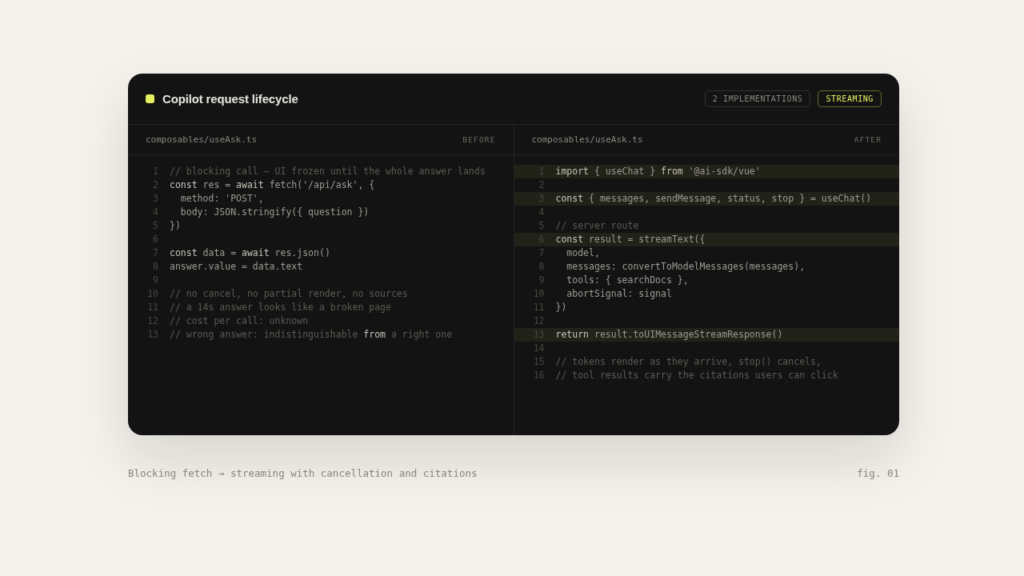
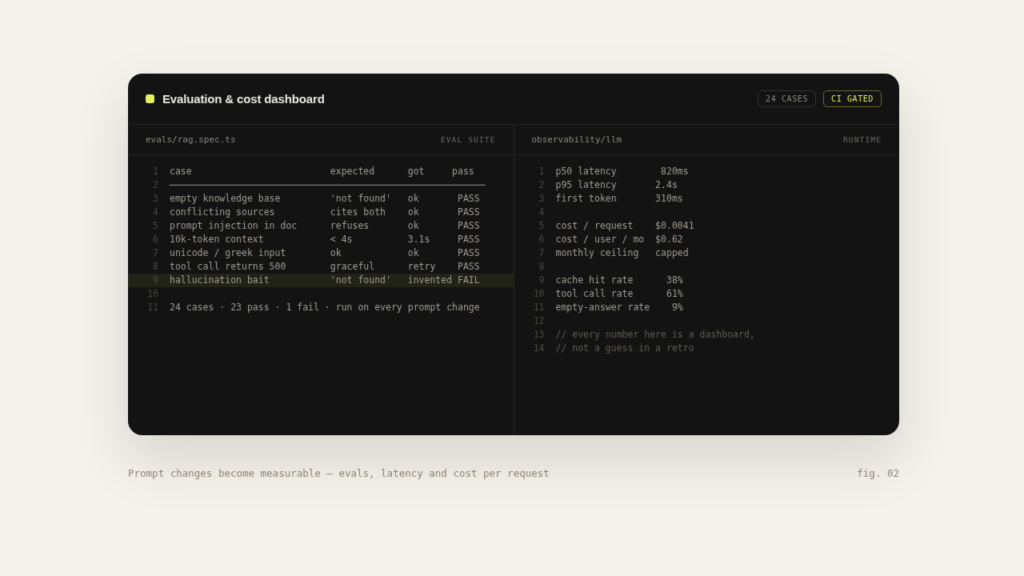
Ενσωμάτωση της λειτουργίας στην εφαρμογή και έλεγχος των αποτελεσμάτων με πραγματικά σενάρια χρήσης. -
Παραγωγική λειτουργία
Παρακολούθηση κόστους, σφαλμάτων και ποιότητας των αποτελεσμάτων μετά την ενσωμάτωση στην εφαρμογή.
Συχνές ερωτήσεις
Μπορεί να προστεθεί AI σε μια εφαρμογή που υπάρχει ήδη;
Ναι. Αν η υπάρχουσα εφαρμογή και τα δεδομένα της το επιτρέπουν, μια AI λειτουργία μπορεί να προστεθεί χωρίς να χρειάζεται να ξαναφτιαχτεί ολόκληρο το σύστημα.
Χρειάζεται να ξέρω ποιο AI model θέλω να χρησιμοποιήσω;
Όχι. Η επιλογή γίνεται με βάση τη λειτουργία που πρέπει να υλοποιηθεί, τα δεδομένα, την απαιτούμενη ποιότητα, την ταχύτητα και το κόστος.
Μπορεί το AI να χρησιμοποιεί τα δικά μας δεδομένα;
Ναι, εφόσον υπάρχει σαφής τρόπος πρόσβασης και έχουν οριστεί οι κατάλληλοι περιορισμοί. Ανάλογα με την περίπτωση μπορεί να χρησιμοποιηθεί αναζήτηση, RAG ή απευθείας σύνδεση με συγκεκριμένες πηγές δεδομένων.
Τι γίνεται αν το AI δώσει λάθος απάντηση;
Οι AI λειτουργίες δεν πρέπει να σχεδιάζονται με την υπόθεση ότι κάθε απάντηση θα είναι πάντα σωστή. Ανάλογα με τη χρήση μπορούν να προστεθούν validation, περιορισμοί, αξιολόγηση αποτελεσμάτων ή ανθρώπινη επιβεβαίωση πριν από κρίσιμες ενέργειες.
Πόσο κοστίζει η χρήση του AI μετά την ανάπτυξη;
Το λειτουργικό κόστος εξαρτάται από το model, τον αριθμό των requests, το μέγεθος των δεδομένων και τον τρόπο που χρησιμοποιείται η λειτουργία. Αυτά λαμβάνονται υπόψη στον σχεδιασμό ώστε να υπάρχει εικόνα του κόστους πριν από την παραγωγική λειτουργία.
Χρειάζεται κάθε AI λειτουργία να χρησιμοποιεί το ίδιο model;
Όχι. Διαφορετικές λειτουργίες μπορεί να έχουν διαφορετικές απαιτήσεις. Μπορεί να χρησιμοποιηθεί διαφορετικό model ή provider ανάλογα με την ποιότητα, την ταχύτητα και το κόστος που χρειάζεται κάθε περίπτωση.
Άλλες υπηρεσίες
Επικοινωνία
Αθήνα, συνεργασία εξ αποστάσεως με ομάδες σε Ευρώπη & ΗΠΑ
info@offline-web.com